
Tactiq Review 2025: Real-Time Transcription Without the Bot
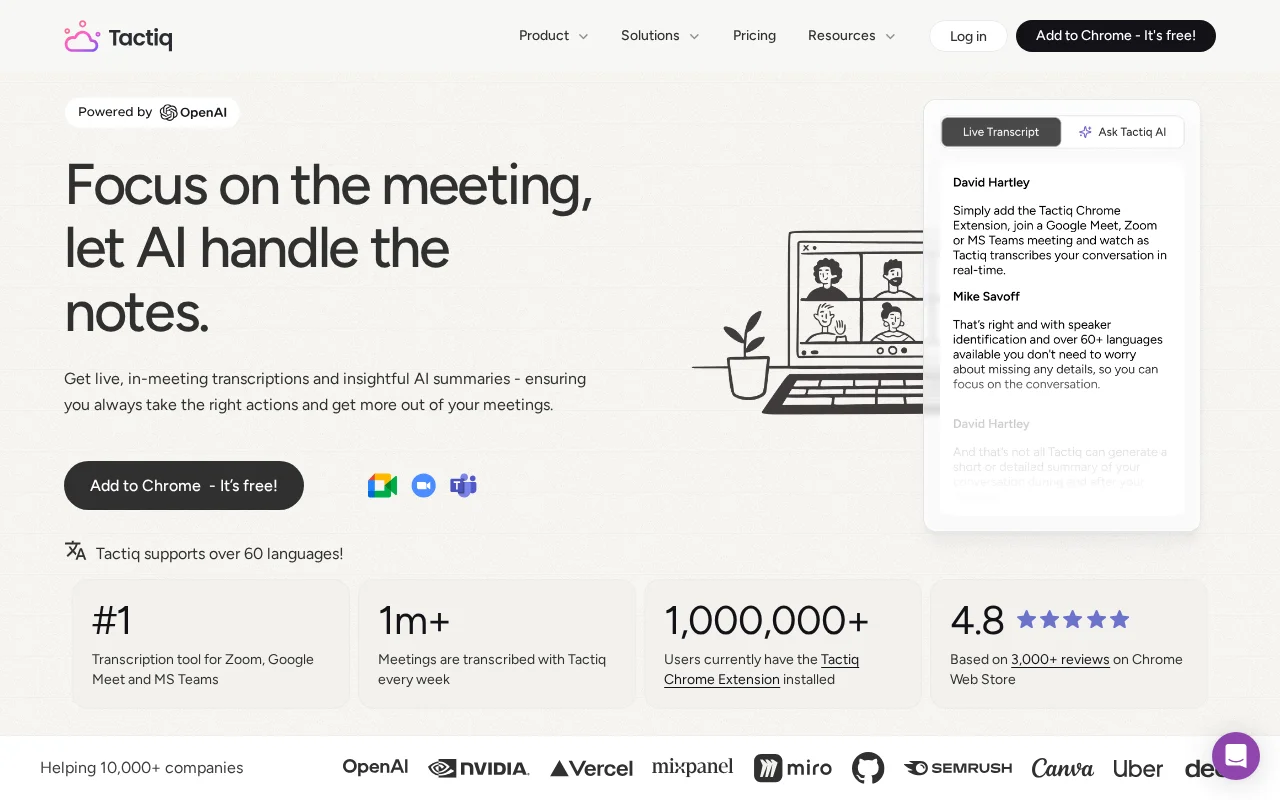
Tactiq takes a different approach to meeting notes. Instead of sending a bot to record your calls, it runs as a Chrome extension that captures live captions in real-time. No recording, no awkward "Tactiq Bot has joined" notifications. Just clean, pure transcription happening in your browser while you focus on the conversation.
Bottom Line: Tactiq is a lightweight, privacy-first transcription tool that captures meeting text without recording audio or video. Best for professionals who need quick transcripts without the baggage of recordings. Worth it if you value simplicity and live captions. Skip if you need actual recordings or robust mobile support.
Is Tactiq Worth It?
| Rating | 7/10 |
| Price | $12/mo Pro, $16.70/mo Team |
| Best for | Quick transcripts without recording |
| Skip if | You need audio/video playback |
Tactiq fills a specific niche that other tools overlook. If you have ever wanted meeting transcripts without the complexity of recordings, storage limits, and bots joining your calls, this is your tool. The Chrome extension approach means transcription happens locally in your browser, capturing the exact same captions that Google Meet, Zoom, or Teams already generate.
The trade-off is significant though and worth understanding clearly. No audio capture means no recordings to review later. You get text only, with no way to hear tone of voice or go back to verify exactly what was said. For many users, that is exactly what they want - a clean transcript without gigabytes of video files cluttering their storage and raising compliance questions. For others, the lack of playback capability is an absolute dealbreaker that makes the tool unusable for their workflow.
At just $12 per month for the Pro plan, Tactiq undercuts most competitors while delivering solid transcription accuracy and genuinely useful AI summaries. The real question is whether transcript-only fits your workflow.
What Does Tactiq Do Well?
Standout: Real-Time Live Transcription
Tactiq excels at showing you transcription as it happens. The extension displays a widget during your meeting where you can see words appearing in real-time. This is useful for quick reference during calls - quickly checking what someone said moments ago without asking them to repeat. The live view also lets you highlight important moments and take screenshots directly from the meeting interface.
Unlike tools that process audio after the meeting ends, Tactiq works with the existing caption system built into Google Meet, Zoom, and Teams. This means faster results and no separate audio processing step. Your complete transcript is ready the moment the meeting ends.
Standout: Customizable Templates and Workflows
Tactiq introduced a feature called "Kits" that lets you build custom templates for different meeting types. Sales calls can extract different information than team standups. You define what the AI should look for - decisions, action items, questions raised, or custom fields specific to your process.
The workflow builder adds powerful automation triggers that execute after your meetings end. After a meeting concludes, Tactiq can automatically send summaries to designated Slack channels, create tasks in your project management tool based on action items identified, or update a CRM record with call notes. This customization capability goes deeper than most competitors offer at this price point and makes Tactiq surprisingly capable for teams who invest time in setup.
Standout: Privacy-First Design
No audio recording means no audio data to store, secure, or worry about. Tactiq only captures the text stream from captions. This simplifies compliance conversations significantly. The tool is SOC-2 Type II certified and uses OpenAI's enterprise API, which explicitly does not train on user data.
For teams in healthcare, legal, or financial services where recording consent is complicated and regulations are strict, transcript-only can be a meaningful advantage. You get comprehensive documentation of what was discussed without the regulatory burden of audio storage, retention policies, and access controls that come with actual recordings. Some organizations have found this approach dramatically simplifies their compliance posture while still giving them the meeting documentation they need for accountability and follow-up.
Where Does Tactiq Fall Short?
The single biggest limitation is obvious: no recordings. If you need to hear how something was said, review a specific moment, or share a video clip with someone who missed the meeting, Tactiq cannot help. You get text only.
Mobile support is weak and essentially nonexistent for serious use. Tactiq is fundamentally a Chrome extension, which means browser-based meetings only. You cannot transcribe meetings from your phone or tablet in any meaningful way. Teams doing significant work from mobile devices will find this severely limiting, especially for field sales or remote client visits where laptop access is not always practical.
Transcription accuracy can struggle with accents, bilingual conversations, and overlapping speakers. Because Tactiq relies on the platform's built-in captions rather than its own speech recognition, accuracy depends partly on how well Google Meet or Zoom handles your specific voices. In my testing, this was generally good but not perfect.
The free tier limits you to 10 transcripts per month with only 5 AI credits. That is enough to evaluate the tool but not enough for regular use. Most competitors tend to offer more generous free tiers.
Warning: Tactiq cannot transcribe in-person meetings or calls outside of supported platforms. It only works where live captions exist.
How Much Does Tactiq Cost?
 Current Tactiq pricing tiers
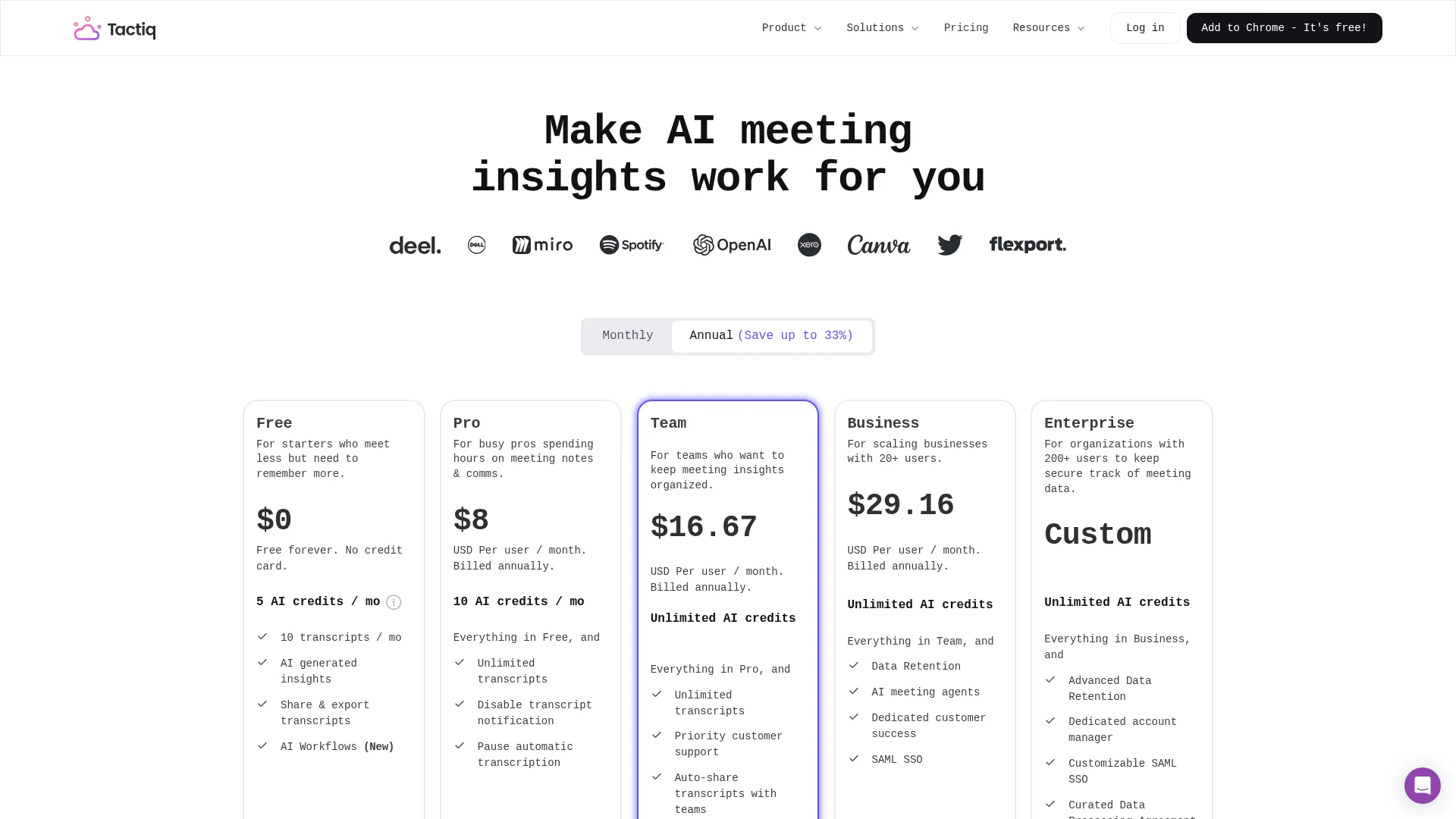
| Plan | Price | What You Get |
|---|---|---|
| Free | $0 | 10 meetings/month, 5 AI credits |
| Pro | $12/mo | Unlimited meetings, 10 AI credits |
| Team | $16.70/user/mo | 200 AI credits, team sharing, priority support |
| Enterprise | Custom | 200+ users, advanced security, custom setup |
Prices as of November 2025
The Pro plan at $12 per month is competitive. Unlimited transcriptions at that price undercuts Otter ($17/mo for 1200 minutes) and matches Fireflies Pro ($18/mo). The key difference is that competitors record audio and video - you are paying less because you are getting less.
AI credits control how much you can use the summary and analysis features, and this is where Tactiq pricing gets complicated for power users. Ten credits per month on Pro feels tight for anyone with a busy meeting schedule. Each meeting summary consumes credits, so teams with daily meetings may burn through the allocation quickly and find themselves waiting for the next billing cycle. The Team plan at 200 credits per month is more reasonable for active use and probably the right choice for anyone who relies heavily on the AI features rather than just raw transcription.
Tactiq also offers education pricing for students and teachers, which is a thoughtful nice touch for academic users who often get overlooked by productivity tools.
Should You Try Tactiq?
Try Tactiq if:
- You want meeting transcripts without recording complications
- Privacy and compliance are priorities for your organization
- You primarily use Google Meet, Zoom, or Teams in a browser
- You value real-time transcription visibility during calls
- Budget matters and you do not need audio playback
Skip Tactiq if:
- You need to review meeting recordings later
- Mobile meeting support is important
- You frequently have in-person meetings to document
- Transcription accuracy in multilingual settings is critical
- You want a generous free tier for ongoing use
Tactiq occupies a clear and well-defined niche in the crowded meeting assistant market. It is not trying to be Otter or Fireflies or compete on feature count. It is solving a specific problem for a specific audience - getting clean, accurate transcripts without the overhead and complications of recording. For the right user who has thought through their needs, that simplicity is exactly the point and represents a deliberate choice rather than a compromise. For everyone else who expects full recording capabilities, the limitations will feel like missing features rather than intentional design choices that serve a purpose.
Frequently Asked Questions
Is Tactiq free?
Partially. The free plan includes 10 meeting transcripts and 5 AI credits per month. Most users will need the $12/month Pro plan for unlimited transcription.
Does Tactiq record meetings?
No. Tactiq only captures text from live captions. It does not record audio or video. This is a core design choice, not a limitation.
Is Tactiq better than Otter?
Different tools for different needs. Otter records audio and offers real-time transcription with speaker identification. Tactiq is lighter weight, cheaper, and more privacy-focused but gives you text only. Choose Otter if you need recordings; choose Tactiq if you specifically want to avoid them.
What platforms does Tactiq support?
Google Meet, Zoom, and Microsoft Teams via browser. The Chrome extension captures captions from any of these platforms. No dedicated mobile app is available for transcription.
Is my data safe with Tactiq?
Tactiq is SOC-2 Type II certified and uses OpenAI's enterprise API which does not train on user data. Since no audio is captured, there is less sensitive data to protect in the first place.
Related
See how it compares: Bluedot vs Tactiq
Featured in: Best AI Meeting Assistants 2025
Sources
Disclosure: Topic Wise may earn commission from affiliate links on this page.

Written by
John Marti
Testing AI tools so you don't have to. 7+ years covering productivity software, automation, and emerging tech. Previously at TechCrunch and The Verge.
