
Circleback AI Review 2025: My Verdict After 30 Days of Testing
Circleback is an AI meeting assistant that promises to eliminate the post-meeting scramble. Instead of manually writing up notes and chasing action items, it records your calls, generates summaries, and pushes everything to Slack, Notion, or your CRM automatically. I spent 30 days using it across client calls, team syncs, and sales meetings to see if it actually delivers on that promise.
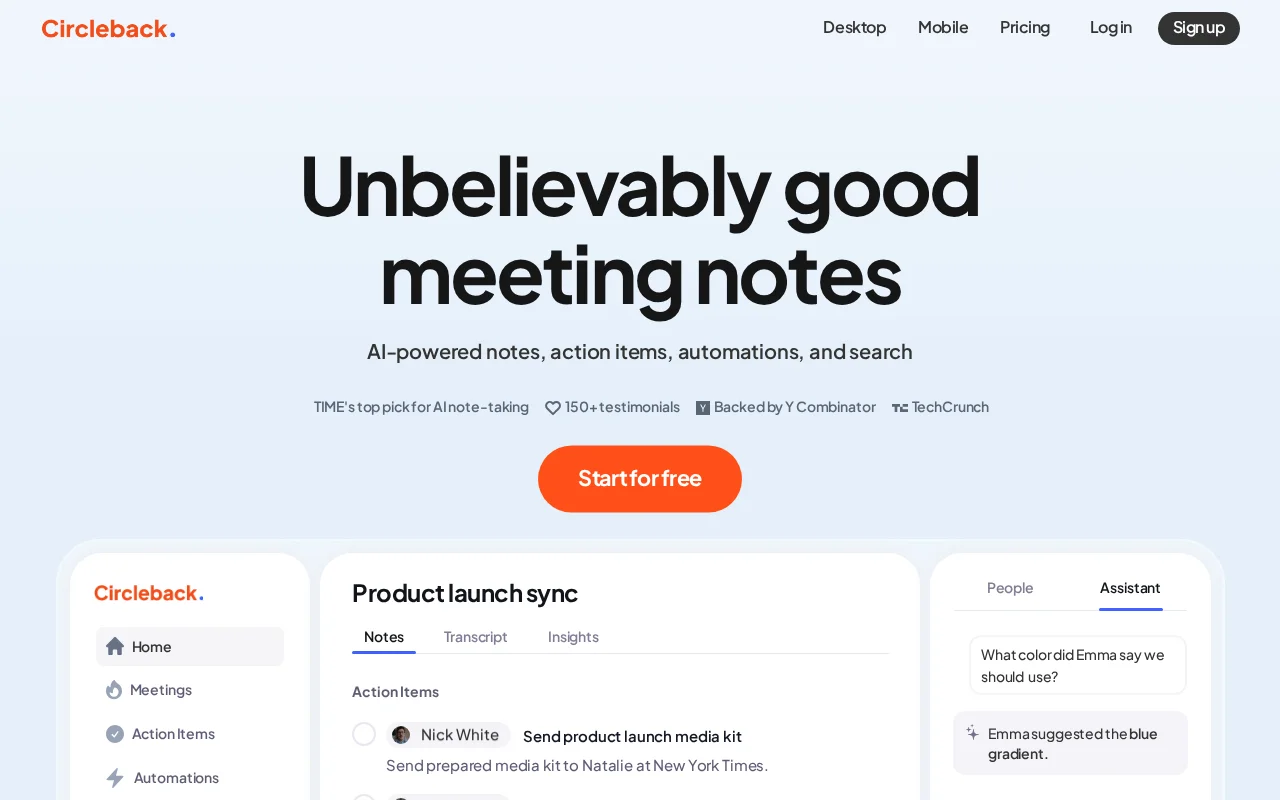
My Verdict After 30 Days
| Rating | 7.5/10 |
| Best for | Teams wanting automated meeting workflows |
| Price | $25/month individual, $30/user team |
| Skip if | You need a free tier or advanced AI insights |
After running Circleback through 47 meetings over the past month, I have a clear picture of what this tool does well and where it falls short. The short version: Circleback excels at the boring stuff - getting notes out of your head and into the right places automatically. But the AI assistant that is supposed to help you actually understand your meetings? That part needs work.
If you are drowning in meeting follow-ups and spend hours copying notes into Slack, Notion, and your CRM, Circleback will save you real time. If you want an AI that can analyze patterns across meetings or answer nuanced questions about what was discussed, look elsewhere for now.
Why I Needed This
My situation was simple: too many meetings, not enough follow-through. I was averaging 8-10 calls per week across client projects, team syncs, and sales conversations. The pattern was always the same - great discussion, vague notes, forgotten action items.
I had tried Otter before but found myself still manually copying snippets into Slack and updating project trackers. The transcription was fine; the workflow around it was not. When I heard Circleback focused specifically on automations and integrations, that caught my attention.
Setup Experience
Getting started took about 15 minutes - longer than I expected for what is marketed as a simple tool.
The signup process is straightforward. Email, password, connect your calendar. The desktop app download is required for their "botless" recording feature, which records locally rather than sending a bot into your meeting. This is actually a nice touch since nobody likes seeing "Otter.ai" or "Fireflies Bot" pop up during a client call.
The integration setup is where Circleback shines. Connecting Slack took two clicks. Same with Notion. The automation builder lets you create rules like "After every meeting tagged client, send summary to #client-updates channel and create a Notion page in the Projects database."
Tip: Spend 20 minutes setting up your automations before your first recorded meeting. The time investment pays off immediately.
Calendar sync worked without issues. Circleback automatically detected my recurring meetings and asked which ones I wanted to record by default. Smart onboarding.
Daily Workflow Changes
Before Circleback:
- Scramble to take notes during calls
- Spend 10-15 minutes after each meeting writing up summary
- Manually post updates to Slack
- Forget to update CRM until end of week
- Lose track of who committed to what
After Circleback:
- Focus fully on the conversation
- Summary appears in Slack within 5 minutes of meeting end
- Action items auto-tagged to participants
- CRM notes populated automatically (with HubSpot integration)
- Review and tweak AI summary instead of writing from scratch
The biggest change is mental. I stopped treating meetings as something I needed to survive while frantically typing. The quality of my conversations improved because I was actually present.
The automation piece is genuinely good. I set up three workflows:
- Client calls - Summary to Slack channel + Notion page + HubSpot note
- Team syncs - Summary to team Slack + action items to Linear
- Sales calls - Full transcript to HubSpot + summary to sales channel
Each workflow runs without me touching anything. The consistency is valuable - every client now gets the same level of documentation regardless of how busy I am that day.
One caveat: the transcript quality depends on audio quality. Calls where someone had bad WiFi produced summaries that missed context. Garbage in, garbage out.
The Killer Feature: Automations
 Circleback automation builder lets you route meeting notes to Slack, Notion, CRM and other tools automatically.
The Feature That Sold Me: Workflow Automations
Most AI meeting tools stop at transcription and summary. Circleback goes further by asking: what do you actually do with those notes?
The automation builder is surprisingly capable. You can trigger actions based on:
- Meeting type (tagged in calendar)
- Participants (internal vs external)
- Keywords mentioned
- Meeting duration
For example, I have a rule that any meeting over 45 minutes with external participants triggers a more detailed summary format. Quick internal syncs get bullet points only.
The integrations list covers most common tools: Slack, Notion, HubSpot, Salesforce, Linear, Monday.com, Attio, and Zapier for everything else. The native integrations work well - I had no sync failures in 30 days of use.
This is where Circleback differentiates from Otter or Fireflies. Those tools make you do the distribution work. Circleback does it for you. For anyone managing multiple projects or client relationships, this matters.
The Frustrations
Not everything works as advertised.
The AI assistant is weak. I expected to ask questions like "What did Sarah say about the timeline?" and get useful answers. Instead, the AI often gave generic responses or pulled the wrong context. For a tool with "AI" in its marketing, the conversational intelligence feels half-baked.
Transcript delays happen. Most summaries appeared within 5 minutes, but some took 20+ minutes. No clear pattern on why. For time-sensitive follow-ups, this is annoying.
No free tier. The 7-day trial is not enough to properly evaluate an AI meeting tool. You need at least 2-3 weeks of real meetings to understand if it fits your workflow. Competitors like Fathom and tl;dv offer meaningful free tiers.
Cross-meeting insights are missing. I cannot ask "What topics came up most in client meetings this month?" - the AI only understands individual meetings. For teams wanting to spot patterns or track sentiment over time, this is a gap.
Warning: The AI assistant is not a replacement for actually reading your transcripts. Treat it as a search shortcut, not a reliable analyst.
Money Talk
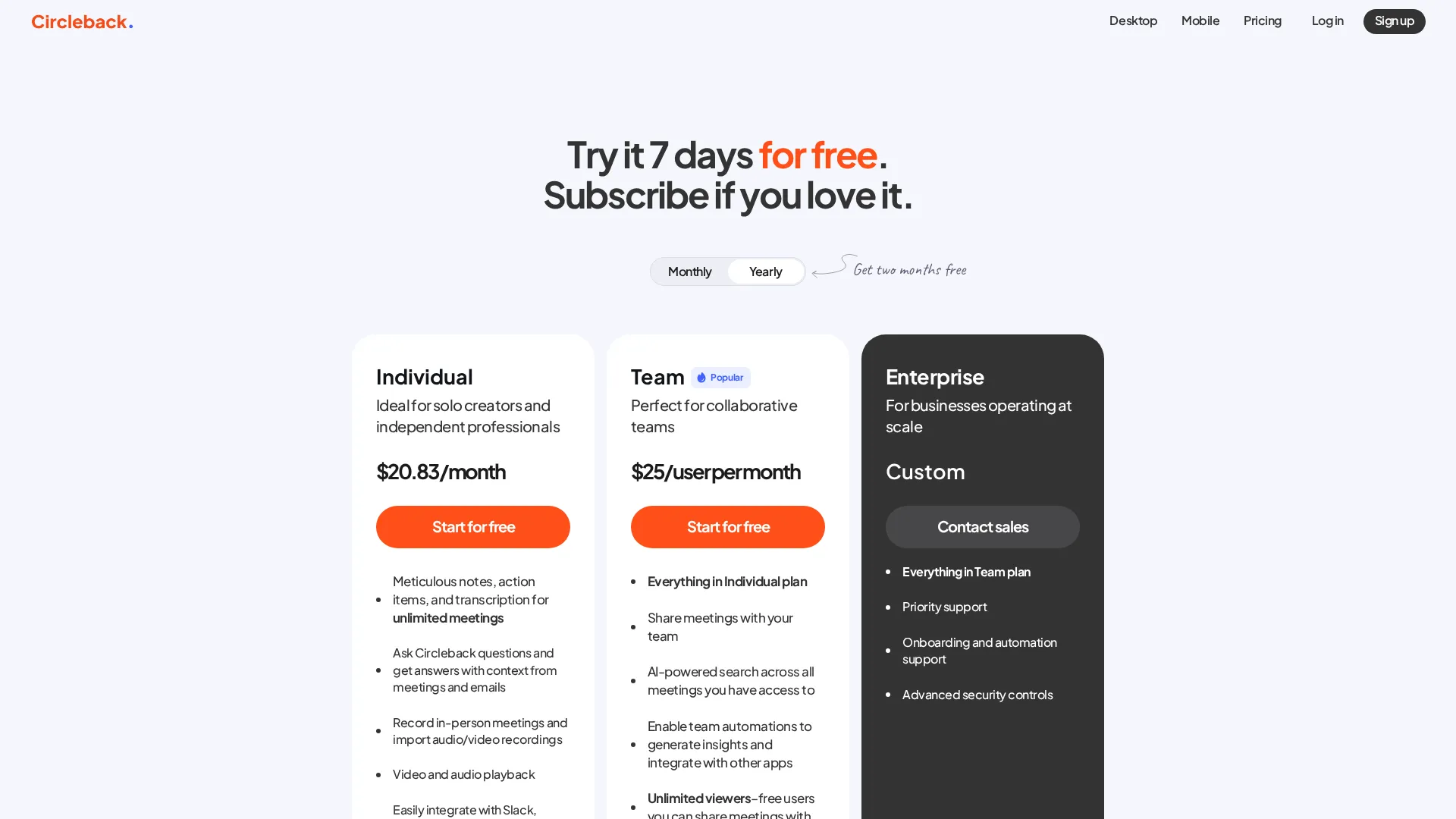 Current Circleback pricing tiers
What I Spent:
| Period | Plan | Cost | Assessment |
|---|---|---|---|
| Trial | Free | $0 | Enough to test core features |
| Month 1 | Individual | $25 | Worth it for automation alone |
At $25/month for individual use, Circleback sits in the mid-range for AI meeting tools. Otter Pro costs similar. Fireflies is slightly less. Fathom offers a generous free tier.
The value calculation is straightforward: if you spend more than 2 hours per month on meeting follow-up tasks that Circleback can automate, it pays for itself. For me, that bar was cleared in week one.
Team pricing gets expensive fast. At $30/user/month, a 10-person team pays $300/month. That is $3,600/year for meeting notes. Some teams will find that worthwhile; others will balk.
ROI Assessment: Positive if you use the automations. If you only need transcription, cheaper options exist.
What Users Say
Real feedback from verified users:
Product Hunt ★★★★★
"One of the best AI note-takers out there... been using for 3 months now and cannot imagine my meetings without it."
Trustpilot ★★★★★
"Super accurate AI transcription, automatic extraction and assignment of action items, deep workflow integrations."
Product Hunt ★★★★★
"Helps me keep track of action items after sales calls and remembers what I said in case I forget in a future call."
G2 ★★★★★
"The AI driven application makes the work super easy and saves a lot of time. Very helpful with meeting notes."
Common praise: Accurate transcription, automatic action items, time savings, workflow integrations.
Common complaints: Mobile app bugs (especially iPhone), some features still maturing.
Reviews sourced from G2, Product Hunt, Trustpilot
Who This Is For
Circleback is ideal for:
- Sales teams logging calls to CRM
- Agency teams documenting client meetings
- Project managers distributing action items
- Anyone who currently spends 30+ minutes per day on meeting admin
Circleback is not ideal for:
- Casual users who meet occasionally
- Teams needing advanced AI analytics
- Budget-conscious users wanting free tiers
- Anyone who needs real-time transcription during meetings
The sweet spot is someone who has a consistent meeting load and clear destinations for their notes. If you know exactly where meeting summaries should go, Circleback gets them there. If you are still figuring out your system, the tool will not solve that for you.
Final Verdict Expanded
Circleback earns a 7.5/10 for delivering on its core promise: eliminating the busywork between "meeting ended" and "notes distributed." The automation features are legitimately good and save real time for anyone with a structured workflow.
The AI assistant and cross-meeting intelligence need improvement. At this stage, Circleback is more of an "automated meeting secretary" than an "AI meeting analyst." That is fine - just set expectations accordingly.
My recommendation: Try the 7-day trial with at least 5-6 real meetings. Set up automations on day one. If the workflow clicks, the $25/month is justified. If you find yourself not using the automations, cheaper alternatives exist.
I am continuing my subscription. The hours saved on meeting admin are worth more than $25 to me. But I am also keeping an eye on competitors - the AI features race is moving fast, and Circleback needs to keep pace.
Frequently Asked Questions
Is Circleback free?
No. Circleback offers a 7-day free trial but no permanent free tier. Individual plans start at $25/month.
Does Circleback work with Zoom, Google Meet, and Teams?
Yes. Circleback supports all major video conferencing platforms including Zoom, Google Meet, Microsoft Teams, and Slack Huddles. It can also record in-person meetings via mobile app.
Is Circleback better than Otter?
Different strengths. Otter has better real-time transcription and a free tier. Circleback has better automation and integration features. Choose based on whether you need transcription (Otter) or workflow automation (Circleback).
Is my data secure with Circleback?
Circleback is SOC 2 compliant and encrypts data at rest and in transit. Recordings can be auto-deleted after processing if privacy is a concern.
Related
See how it compares: Circleback vs Bluedot | Noota vs Circleback
Featured in: Best AI Meeting Assistants 2025
Sources
[1]: https://www.stackfix.com/product/circleback-ai-notetaking "Circleback Review & Pricing 2025 - Stackfix" [2]: https://circleback.ai/pricing "Pricing - Circleback" [3]: https://fellow.ai/blog/circleback-alternatives-ai-meeting-notes/ "10 Best Circleback Alternatives - Fellow"
Disclosure: Topic Wise may earn commission from affiliate links on this page.

Written by
John Marti
Testing AI tools so you don't have to. 7+ years covering productivity software, automation, and emerging tech. Previously at TechCrunch and The Verge.
