
Leonardo AI Review 2025: Best Free AI Image Generator?
Leonardo AI offers something rare in the AI image generation space: a genuinely useful free tier. With 150 daily tokens, quality that competes with paid alternatives, and an interface that doesn't require a PhD in prompt engineering, it's become the go-to recommendation for anyone testing AI image generation.
But is the free tier enough? When should you upgrade? And how does Leonardo actually compare to Midjourney and DALL-E 3 when you push it? We spent 30 days testing Leonardo AI extensively - free tier first, then paid - to answer these questions definitively.
Bottom line upfront: Leonardo AI is the best free AI image generator available in 2025, and the paid plans offer excellent value. It won't match Midjourney's artistic peak, but for most users, it's more than enough.
Quick Verdict
| Aspect | Rating | Notes |
|---|---|---|
| Free Tier | 9/10 | Best in market - 150 daily tokens |
| Image Quality | 8/10 | Excellent, below Midjourney |
| Ease of Use | 9/10 | Clean interface, preset models |
| Features | 8.5/10 | Canvas, upscaling, motion |
| Value | 9/10 | Free tier alone justifies signup |
| Overall | 8.5/10 | Best free option, solid paid |
Best for: Hobbyists, beginners, content creators with moderate needs, anyone testing AI image generation before committing budget.
Not ideal for: Professional artists needing maximum quality, high-volume commercial production, users requiring consistent artistic style.
What is Leonardo AI?
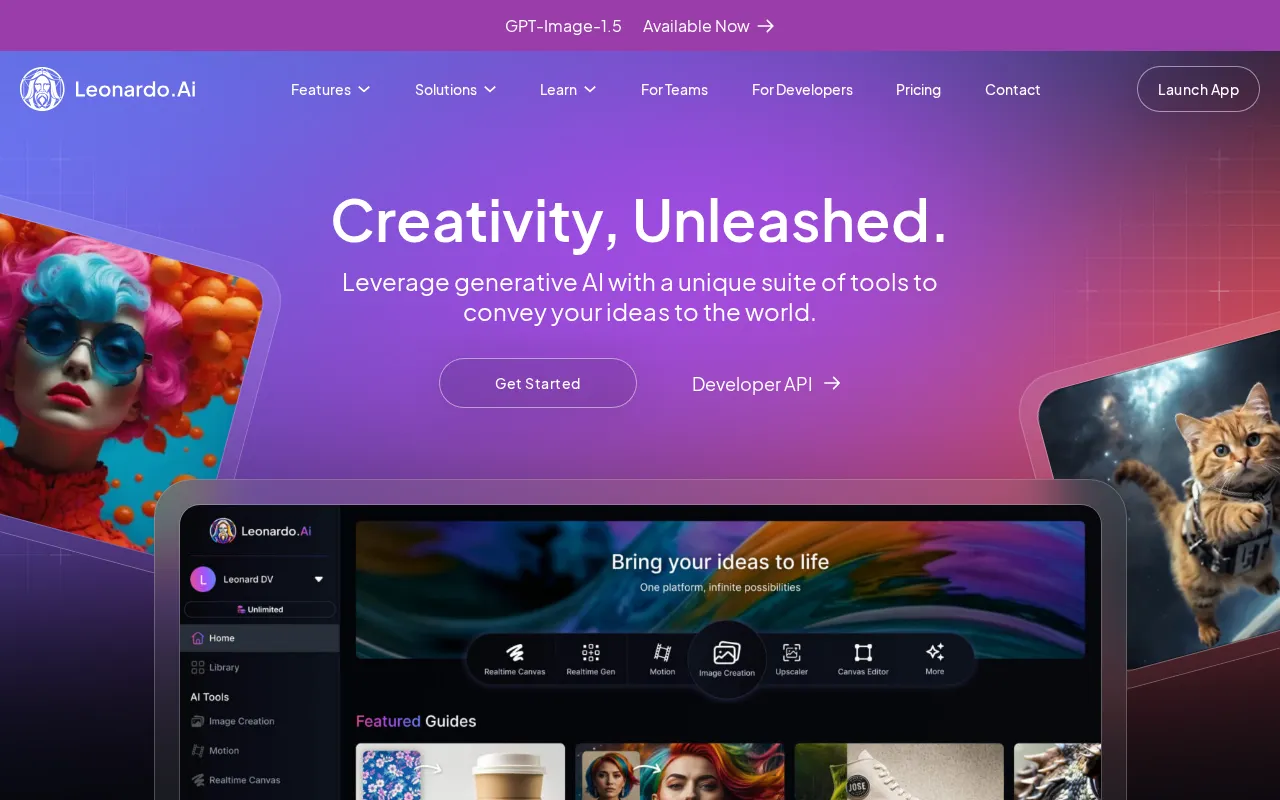
Leonardo AI launched in late 2022 and has grown into one of the most popular AI image generators, primarily because of its generous free tier and approachable interface. Unlike Midjourney (Discord-based, now web) or Stable Diffusion (technical setup required), Leonardo AI offers a polished web application that works immediately.
The platform combines multiple AI models - both Leonardo's proprietary models and fine-tuned versions of Stable Diffusion - accessible through a single, unified interface. This means you can switch between photorealistic, anime, 3D, and illustrative styles without changing tools or learning new workflows.
Core Features
- Image Generation: Text-to-image with multiple model options
- Image-to-Image: Transform existing images with AI
- AI Canvas: Photoshop-like editing with AI capabilities
- Motion: Add animation to static images
- Realtime Generation: Live preview as you type
- Model Training: Create custom models (paid)
- Community Models: Access user-created fine-tuned models
- Upscaling: Enhance resolution up to 4x
Leonardo AI Pricing in 2025
| Plan | Price | Tokens | Key Features |
|---|---|---|---|
| Free | $0 | 150/day | Basic models, standard generation |
| Apprentice | $10/mo | 8,500/mo | Priority queue, all models |
| Artisan | $24/mo | 25,000/mo | + Private generations |
| Maestro | $48/mo | 60,000/mo | + API access, model training |
Annual billing saves 20% - Apprentice drops to $8/mo, Artisan to $19.20/mo, Maestro to $38.40/mo.
Understanding Tokens
Token costs vary by model and settings:
- Standard generation: 4-8 tokens per image
- High-resolution: 12-20 tokens per image
- Alchemy (enhanced): 15-30 tokens per image
- Motion: 25+ tokens per animation
With 150 free daily tokens, you can realistically generate 30-50 standard images or 10-15 high-quality images per day. That's substantial for casual use.
Free Tier Deep Dive: Is 150 Tokens Enough?
We tested Leonardo AI's free tier exclusively for two weeks. Here's exactly what you can and cannot do:
What Works Great on Free
Daily creative projects: 150 tokens refreshes every 24 hours. For personal projects, social media content, or learning AI image generation, this is plenty. We generated approximately 40 images daily without running out.
Learning prompts: The free tier includes all the basic models and features. You can experiment extensively without financial commitment.
Portfolio building: If you're exploring AI art for a portfolio or personal brand, free tier lets you create substantial work over time.
Blog and content creation: One or two hero images per day? Easy. A week of social media posts? Absolutely doable.
Where Free Falls Short
Commercial production: Client work requiring multiple revisions, variations, and high-resolution outputs will burn through 150 tokens quickly. Expect to upgrade within days.
High-volume needs: If you need 100+ images daily, free tier won't cover it. Simple math.
Priority access: Free tier users wait in queue during peak times. Generation can take 30-60 seconds instead of the usual 10-15 seconds.
Advanced features: Model training, API access, and some premium models require paid plans.
Our Free Tier Verdict
For 80% of users exploring AI image generation, the free tier is genuinely sufficient. Leonardo isn't playing the "free trial that's useless" game - they're offering real value to attract users who'll eventually upgrade.
Image Quality: How Good Is Leonardo AI Really?
Quality is the critical question. Nobody cares about free if the images look bad. So we ran Leonardo AI through our standard 50-prompt test suite and compared results to Midjourney and DALL-E 3.
Test Results by Category
| Category | Leonardo | Midjourney | DALL-E 3 |
|---|---|---|---|
| Artistic scenes | 7.5/10 | 9.5/10 | 7/10 |
| Photorealism | 8/10 | 8.5/10 | 8.5/10 |
| Anime/Illustration | 8.5/10 | 8/10 | 6/10 |
| Product mockups | 7.5/10 | 8/10 | 9/10 |
| Text rendering | 6/10 | 3/10 | 9/10 |
| Average | 7.5/10 | 7.4/10 | 7.9/10 |
Key Observations
Leonardo excels at anime and illustration. The specialized anime models (DreamShaper, Anime Pastel Dream) produce results that rival or exceed Midjourney for this specific style. If anime or stylized illustration is your focus, Leonardo is arguably the best choice regardless of price.
Photorealism is surprisingly strong. Leonardo's Phoenix model handles realistic portraits and scenes competently. Not quite Midjourney's editorial quality, but entirely usable for most purposes. We'd rate it 85% of Midjourney's photorealistic capability.
Artistic interpretation is where Leonardo lags. Midjourney has an intangible "magic" - images feel more artistically composed, lighting is more dramatic, colors are more harmonious. Leonardo produces good images; Midjourney produces beautiful ones.
Text rendering is weak but improving. Like most non-DALL-E generators, Leonardo struggles with text. Version 3 (Phoenix) handles simple text better than before, but don't expect reliable results for logos or signage.
Model Comparison Within Leonardo
Leonardo offers multiple models, each with distinct strengths:
| Model | Best For | Quality |
|---|---|---|
| Leonardo Phoenix | Photorealism, general use | 8.5/10 |
| Leonardo Kino XL | Cinematic, dramatic lighting | 8/10 |
| DreamShaper | Fantasy, illustration | 8/10 |
| Anime Pastel Dream | Anime, stylized art | 9/10 |
| 3D Animation Style | 3D renders, Pixar-style | 7.5/10 |
| Leonardo Diffusion XL | Balanced, all-purpose | 7.5/10 |
The right model makes a significant difference. Phoenix for realism, anime models for stylized work, Kino for drama.
Interface and User Experience
Leonardo AI's interface deserves praise. It's the most beginner-friendly of any serious AI image generator.
What Works Well
Clean, modern design: No Discord complexity, no terminal commands. Just a web app that looks like it was designed in 2025, not 2019.
Preset models with previews: Each model shows example outputs, so you know what style you're getting before you generate. Eliminates guesswork.
Prompt suggestions: Start typing and Leonardo suggests completions. Helpful for learning effective prompts.
History and organization: All generations are saved with full prompt history. Easy to revisit and iterate on past work.
Real-time preview: The Realtime Generation feature shows a rough preview as you type, helping you refine prompts before spending tokens.
What Could Improve
Token visibility: It's not always clear how many tokens a specific generation will cost until you click generate. More upfront transparency would help.
Mobile experience: The web app works on mobile but feels cramped. A dedicated mobile app would be welcome.
Batch operations: No way to run multiple prompts simultaneously. Each generation is individual.
AI Canvas: Leonardo's Secret Weapon
The AI Canvas feature deserves special attention. It's essentially a simplified Photoshop with AI generation built in.
What Canvas Does
- Inpainting: Select an area, describe what you want, and AI fills it in
- Outpainting: Extend images beyond their original boundaries
- Object removal: Select and delete unwanted elements
- Style transfer: Apply artistic styles to specific regions
- Composition: Combine multiple generated elements into one scene
Why Canvas Matters
Most AI image generators are one-shot: you prompt, you get an image, you're done. Canvas enables iterative creation - start with a base image, refine specific areas, add elements, adjust compositions. This workflow is closer to how professional artists actually work.
We used Canvas to create a fantasy landscape: generated the base scene, then inpainted a castle on the hill, extended the sky for more drama, and removed an unwanted rock formation. Total time: 15 minutes. Doing this with regeneration alone would have taken hours of luck.
Canvas Limitations
- Uses more tokens than standard generation
- Learning curve for effective masking
- Some operations feel slower than they should
- Not as powerful as Photoshop + Stable Diffusion workflows
Leonardo AI vs The Competition
Leonardo AI vs Midjourney
| Aspect | Leonardo AI | Midjourney |
|---|---|---|
| Price | Free / $10+ | $10+ only |
| Best quality | 8/10 | 9.5/10 |
| Ease of use | 9/10 | 7/10 |
| Features | More | Focused |
| Community | Growing | Massive |
Choose Leonardo if: You want free access, need canvas editing, prefer web interface, focus on anime/illustration.
Choose Midjourney if: Maximum artistic quality is essential, you need the community gallery for inspiration, budget isn't a concern.
Leonardo AI vs DALL-E 3
| Aspect | Leonardo AI | DALL-E 3 |
|---|---|---|
| Price | Free / $10+ | $20 (ChatGPT Plus) |
| Text rendering | Weak | Excellent |
| Prompt accuracy | Good | Excellent |
| Creative freedom | More | Restrictive |
| Interface | Web app | ChatGPT |
Choose Leonardo if: You want more control, need free access, don't need text in images.
Choose DALL-E 3 if: Text rendering is essential, you value prompt accuracy, you already use ChatGPT.
Leonardo AI vs Stable Diffusion
| Aspect | Leonardo AI | Stable Diffusion |
|---|---|---|
| Price | Free / $10+ | Free (local) |
| Setup | Zero | Hours |
| Control | Moderate | Maximum |
| Hardware | None needed | GPU required |
| Updates | Automatic | Manual |
Choose Leonardo if: You want simplicity, don't have a powerful GPU, prefer curated models.
Choose Stable Diffusion if: You need maximum control, want to train custom models, have capable hardware.
Who Should Use Leonardo AI?
Ideal Users
Beginners and hobbyists: The free tier and intuitive interface make Leonardo the perfect starting point for AI image generation. No investment required to learn.
Content creators: Bloggers, social media managers, and YouTubers can generate thumbnails, illustrations, and supporting visuals without subscription fatigue.
Game developers and designers: The model variety (3D, anime, realistic) and Canvas features support game asset creation effectively.
Students and educators: Free access means Leonardo works for educational projects and learning without budget concerns.
Small businesses: Occasional marketing visuals, product mockups, and social content without enterprise pricing.
Less Ideal Users
Professional photographers: When realism and control matter most, dedicated tools or Midjourney serve better.
Brand-focused agencies: Consistency across campaigns requires either Midjourney's distinctive style or custom Stable Diffusion models.
High-volume commercial operations: Token limits, even on paid plans, may not match the throughput needed for large-scale production.
Tips for Getting the Most from Leonardo AI
Model Selection Matters
Don't just use the default. Each model has distinct strengths:
- Portraits: Leonardo Phoenix
- Landscapes: Kino XL
- Anime: Anime Pastel Dream or DreamShaper
- 3D/Game assets: 3D Animation Style
- General creativity: Leonardo Diffusion XL
Prompt Structure
Leonardo responds well to structured prompts:
[Subject], [Style], [Lighting], [Mood], [Quality modifiers]Example: "A cyberpunk street market, neon lighting, rain reflections, moody atmosphere, highly detailed, 8k quality"
Use Negative Prompts
Leonardo supports negative prompts - what you don't want. Common exclusions:
- "blurry, low quality, distorted"
- "extra limbs, deformed hands"
- "text, watermark, signature"
Leverage the Community
Leonardo's community gallery shows prompts for every public image. Find something you like? See exactly how it was made. This learning resource is underutilized.
Canvas for Complex Work
For anything beyond single-scene images, use Canvas. The ability to iterate and refine beats regenerating from scratch every time.
Pros and Cons Summary
Pros
- Best free tier in the market - 150 daily tokens, no credit card
- Beginner-friendly interface - Works immediately, no learning curve
- Multiple quality models - Switch styles without changing tools
- AI Canvas - Powerful editing and composition features
- Community models - Access user-created fine-tuned styles
- Reasonable pricing - $10/month for significant capability
- Continuous updates - New features and models added regularly
Cons
- Not Midjourney quality - Close, but noticeably behind for artistic work
- Weak text rendering - Don't expect readable text in images
- Token system confusing - Costs vary by settings, not always clear
- Queue times on free - Peak hours mean waiting
- Limited batch operations - One generation at a time
- Mobile experience lacking - Web app only, cramped on phones
Final Verdict: Is Leonardo AI Worth It?
For free users: Absolutely yes. Leonardo AI offers the most capable free tier in AI image generation. You can create meaningful work without spending anything. Sign up, explore, learn - there's zero downside.
For paid users: Strong yes if you don't need Midjourney-level artistry. The $10/month Apprentice plan provides excellent value - 8,500 tokens covers moderate commercial use, and the quality is genuinely good. Compare that to Midjourney's $10 for fewer generations and no free tier.
Overall rating: 8.5/10
Leonardo AI has found the sweet spot: accessible enough for beginners, capable enough for serious work, priced fairly at every tier. It's not the best at any single thing, but it's good at everything and free to start.
For most people exploring AI image generation in 2025, Leonardo AI is where to begin.
Related Articles
- Best AI Image Generators 2025 - Complete comparison
- Midjourney vs DALL-E 3 2025 - Premium comparison
- Ideogram 2.0 Review 2025 - Best for text
Sources
- Leonardo AI - Official site and pricing
- Leonardo AI Pricing - Plan details verified December 2025
- Leonardo AI Documentation - Feature specifications
Disclosure: Topic Wise may earn commission from affiliate links. We test all tools independently and never accept payment for rankings.

Written by
John Marti
Testing AI tools so you don't have to. 7+ years covering productivity software, automation, and emerging tech. Previously at TechCrunch and The Verge.
